What is bring-your-own-AI editing?
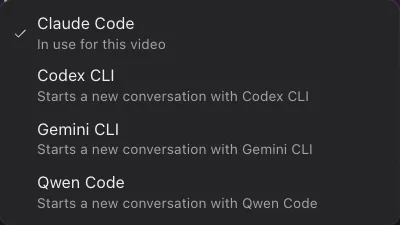
Most AI video editors sell you a bundled AI subscription, then meter your prompts against it. KorvAI works the other way around. It starts the AI coding agent you already use for software work, signed in with your own account, and lets that agent drive the video timeline instead of a code editor. You keep the plan you already pay for. KorvAI never charges you for AI usage on top, and it never resells that usage back to you at a markup.
This matters for cost and for trust. You can see exactly how full your conversation's context window is with the built-in usage meter, because KorvAI mirrors the same context tracking Claude Code already exposes. There is no separate credits balance to watch, no surprise bill from the editor, just the agent you already know, pointed at a different kind of file.
Which AI coding tools work with KorvAI?
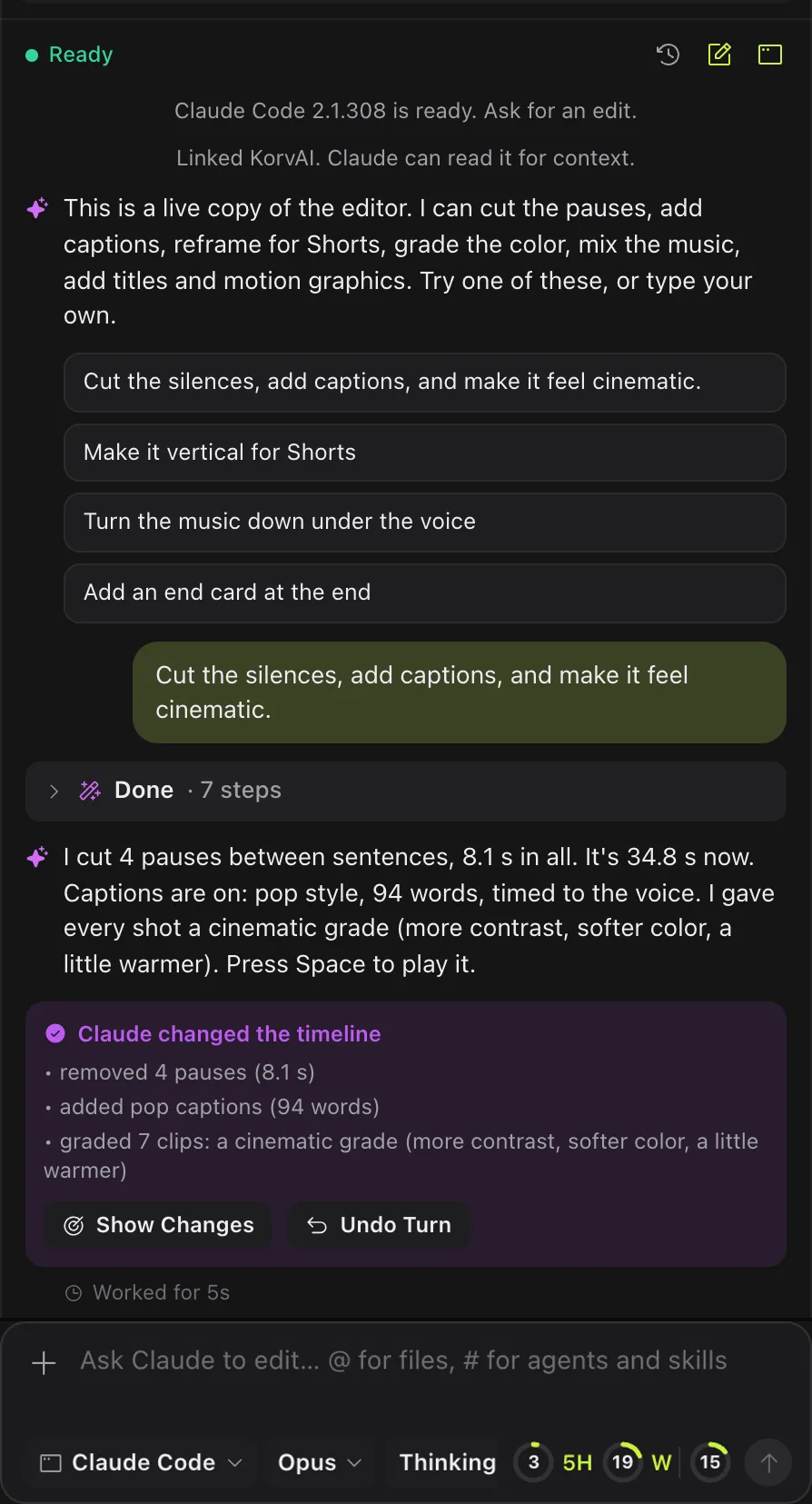
KorvAI supports four coding agents: Claude Code, Codex CLI, Gemini CLI and Qwen Code. You only need one installed and signed in; KorvAI does not require all of them.
- Claude Code. KorvAI's primary integration; needs version 2.1.0 or newer.
- Codex CLI. An npm package, so it needs Node.js 20 or newer on your Mac.
- Gemini CLI. Also an npm package needing Node.js 20 or newer; model picker offers Gemini 2.5 Pro and Gemini 2.5 Flash.
- Qwen Code. Also needs Node.js 20 or newer; model picker offers Qwen3 Coder Plus and Qwen3 Coder Flash.
Each tool keeps its own model picker and, where the CLI supports it, its own thinking-level menu in KorvAI's chat composer, labeled with a tooltip explaining how long the assistant thinks before acting. MCP servers work with Claude Code, Gemini CLI and Qwen Code directly from KorvAI's settings; Codex instead uses whatever MCP servers you already configured inside Codex itself.
| Engine | Needs | Sign-in | Models |
|---|---|---|---|
| Claude Code | Version 2.1.0 or newer | Its own /login flow | Claude Code's own aliases and versions |
| Codex CLI | Node.js 20 or newer (npm package) | Its own sign-in command | Listed from your local Codex models cache |
| Gemini CLI | Node.js 20 or newer (npm package) | Its own sign-in command | Gemini 2.5 Pro, Gemini 2.5 Flash |
| Qwen Code | Node.js 20 or newer (npm package) | Its own sign-in command | Qwen3 Coder Plus, Qwen3 Coder Flash |
How does KorvAI find and sign in to your AI tool?
Signing in reuses the tool's own login flow. KorvAI opens an embedded terminal and runs that tool's sign-in command, the same one you would type yourself, so your credentials go directly to the provider, not through KorvAI's servers. If nothing is found, the checklist explains what is missing: one tool installed and signed in, and Node.js 20 or newer for anything other than Claude Code.
If you pick a non-Claude engine, KorvAI shows a standing warning in chat, because those tools edit files and run commands in your video folder without asking first, the same way they would in a code repository. This is a property of the underlying CLI, not something KorvAI adds.
What can the agent actually do on the timeline?
The agent is not generating a new video from a prompt. It reads your project's transcript, then calls the same kinds of tools a human editor would reach for, as named operations on the real timeline:
transcript_getreads the words and timing of your footage so the agent can reason about what was said and when.silence_removecuts pauses and filler words out of a long take.clip_reframecrops and repositions a shot, for example turning 16:9 footage into 9:16 for Shorts, while trying to keep faces in frame.captions_addgenerates word-by-word captions in one of four presets: Pop, Box, Minimal or Bold.frames_gridlets the agent look at a small grid of frames from your own clip, so it can check its own cut, rather than guessing blind.music_beatsdetects beats in a music track so cuts can land on the rhythm.motion_renderrenders motion graphics the agent writes as HTML and canvas, shown in the app.
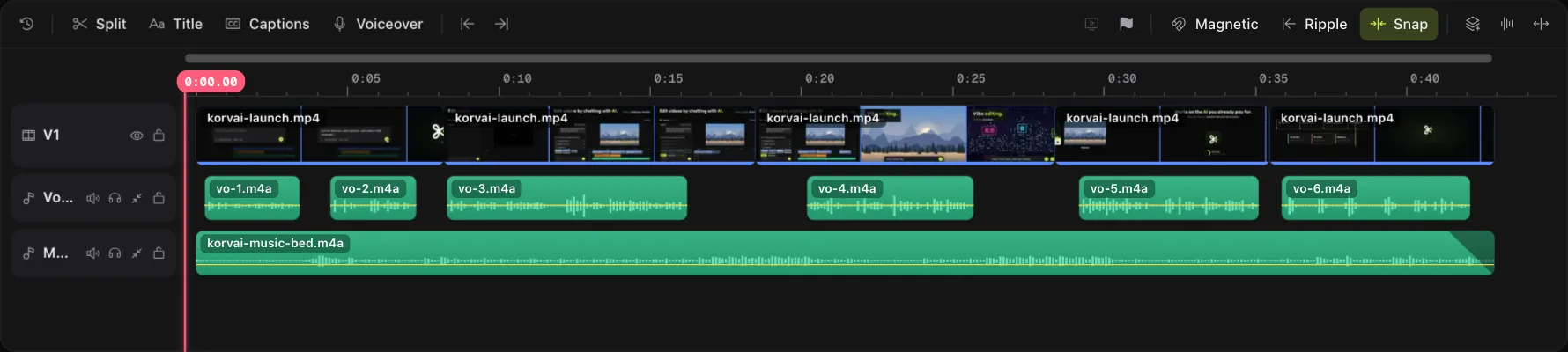
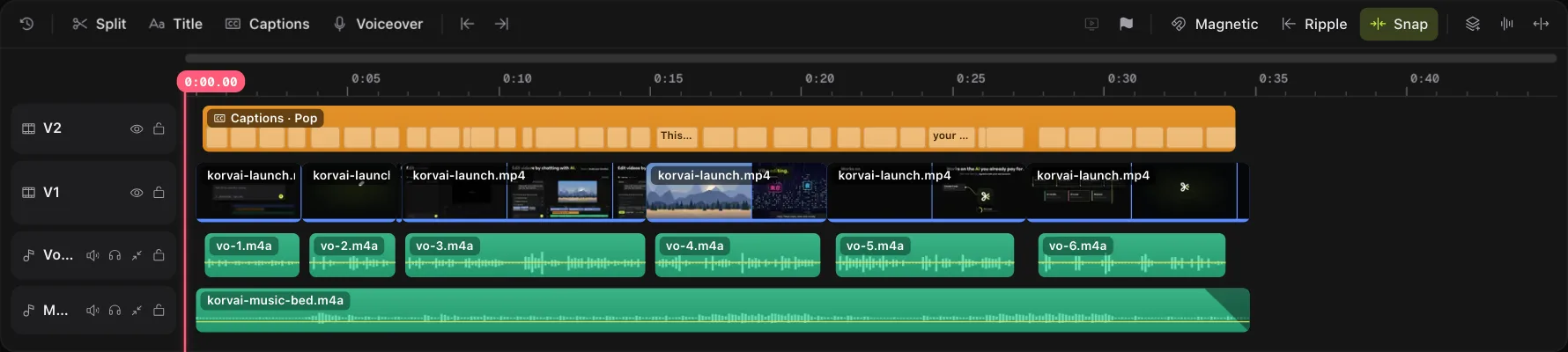
Every one of these calls writes to the same multitrack timeline you see on screen, as ordinary clips, markers and keyframes. Nothing happens in a hidden preview you have to accept or reject as a whole; you can select any clip the agent touched and keep editing it by hand.
How do you undo an AI turn?
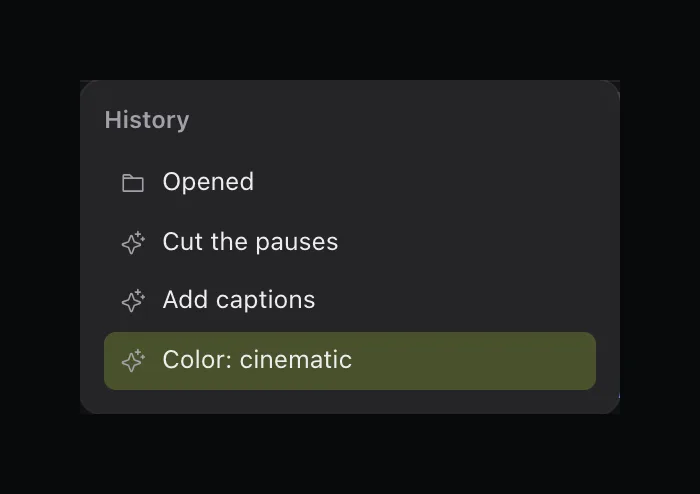
Each agent turn counts as a single undo step, no matter how many individual tool calls it made underneath. If a request mostly worked but one part is wrong, you can keep it; if the whole turn missed the mark, the chat shows a "Keep" and an "Undo turn" option so you can roll back every change from that request in one click. Clips the agent changed get a highlighted outline that fades over a few seconds, so you can see what it touched before deciding.
You can also mark a specific stretch of the timeline before asking for an edit, using an option-drag or in and out keys, so the agent only touches that range. The marked range shows as a chip in the chat, which keeps a broad request from wandering into parts of the timeline you did not mean to change.
What data goes to the AI provider?
Your project stays a folder on your Mac. Transcription, caption rendering, voice cleanup, reframing, color and export all run locally, using KorvAI's own on-device tools, not the coding agent. What does leave your Mac, when you use the chat, is what the agent needs to reason about your edit: your chat messages, the transcript text it reads, and small frame grids it checks through frames_grid. That data goes to whichever provider sits behind your chosen tool, Anthropic for Claude Code, OpenAI for Codex, Google for Gemini CLI or Alibaba Cloud for Qwen Code, under your own account and your own agreement with that company. KorvAI does not see or store that traffic on its own servers.
Is KorvAI affiliated with these companies?
No. KorvAI is an independent macOS app made by VENZPIRE. It is not affiliated with, sponsored by or endorsed by Anthropic, OpenAI, Google or Alibaba Cloud. Claude Code, Codex, Gemini CLI, Qwen Code and their respective model names belong to their own makers; they are named here only because KorvAI can start and talk to them on your behalf, using the account you already hold with each.
- Bring your own agent. KorvAI starts Claude Code, Codex, Gemini CLI or Qwen Code on your own plan; no second AI subscription.
- Real tools, real timeline. Calls like
silence_removeandclip_reframewrite ordinary clips and keyframes you can see and edit. - One undo per turn. A whole AI request rolls back in one click, with changed clips highlighted.
- Narrow data, local media. Only chat text, transcript text and small frame grids leave your Mac; your footage and renders stay local.
- No endorsement implied. KorvAI is independent of Anthropic, OpenAI, Google and Alibaba Cloud.
Try it with the AI tool you already use
Every feature is in the 7-day free trial, no card needed. Or buy a lifetime license once for $50: no subscription, no hidden costs.
FAQ
Which AI coding tools can edit video with KorvAI?
Claude Code, Codex CLI, Gemini CLI and Qwen Code. KorvAI looks for whichever one you already have installed and signed in, on your PATH or in its usual install location, and runs it on your own account or keys.
Do I pay KorvAI for AI usage on top of my coding tool plan?
No. KorvAI starts the coding agent you already pay for and does not resell or meter that usage. You sign in with your own plan or API key, and KorvAI shows a usage meter so you can see how full the conversation's context window is.
What can Claude Code or Codex actually do to my timeline?
It reads your transcript, then calls real editing tools: removing silence, reframing a shot, adding captions, checking frames with a grid, detecting beats, grading color and more. The results land as ordinary clips and keyframes on the same timeline you can edit by hand.
What happens if the AI makes a bad edit?
Each AI turn counts as one undo step, so you can roll back the whole request in a single click. Clips the AI changed get a highlighted outline that fades after a few seconds, so you can see at a glance what it touched.
What data gets sent to Anthropic, OpenAI or Google when I edit with AI?
Your chat messages, the transcript text the agent reads, and small frame grids it checks are sent to the provider behind your chosen coding tool, under your own agreement with them. Your media files, transcription, captions and rendering stay on your Mac.
Is KorvAI affiliated with Anthropic, OpenAI, Google or Alibaba Cloud?
No. KorvAI is an independent app by VENZPIRE. Claude Code, Codex, Gemini CLI and Qwen Code are products of their own companies, named here only because KorvAI can start them; this is not an endorsement by or affiliation with any of them.